Will a Wi-Fi 7 router fix slow home Wi-Fi? The answer depends on the internet connection, the distance to the room and the devices using it. BE3600 in a product name does not tell you the speed or expansion options your home will get.
Comparing the Korean-market Archer BE3600 and ASUS RT-BE50 makes the distinction clear. The Korean Archer BE3600 specifies 1Gbps WAN and LAN, while the RT-BE50 combines a 2.5Gbps WAN port with 1Gbps LAN ports. Similar wireless classes do not mean identical wired connections.
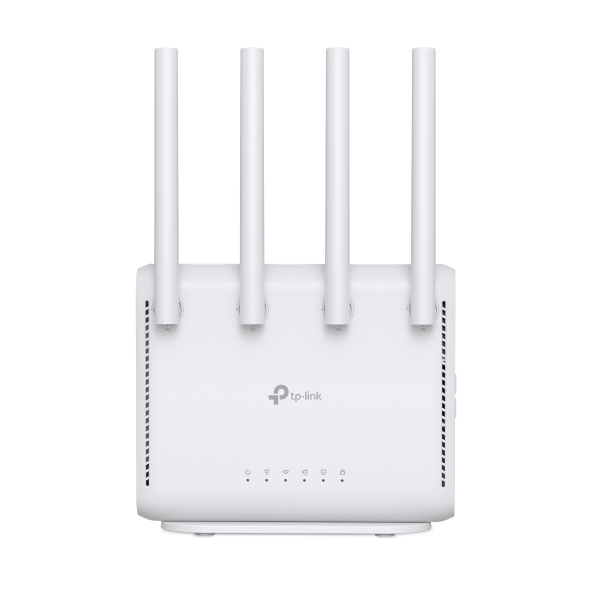 TP-Link official product page
This comparison uses Korean official specifications accessed on October 19, 2026. Port configurations and review speeds for overseas products with the same name are not treated as Korean-model performance. Since prices vary by coupon and seller, identify the required specifications first and then compare checkout totals under matching conditions.
BE3600 versus download speed
Both products list up to 2,882Mbps on 5GHz and 688Mbps on 2.4GHz. Reading the combined wireless class as one phone’s internet download speed creates unrealistic expectations. The service plan, client radio, walls, distance and interference all affect transfers.
For example, replacing a router on a 500Mbps service does not turn the external internet connection into 2.5Gbps. If wired access works well but one room is slow, compare placement and wireless reception there before upgrading the plan. This distinction also helps determine whether new hardware is needed.
Wired connections on the Korean models
| Item | Korean Archer BE3600 | ASUS RT-BE50 |
|---|---|---|
| Radio bands | 2.4GHz and 5GHz | 2.4GHz and 5GHz |
| Maximum listed rates | 688 and 2,882Mbps | 688 and 2,882Mbps |
| WAN | 1 × 1Gbps | 1 × 2.5Gbps |
| LAN | 4 × 1Gbps | 3 × 1Gbps |
| Mesh expansion | EasyMesh | AiMesh |
| Comparison focus | Gigabit service and wired-device count | 2.5G input and existing ASUS mesh hardware |
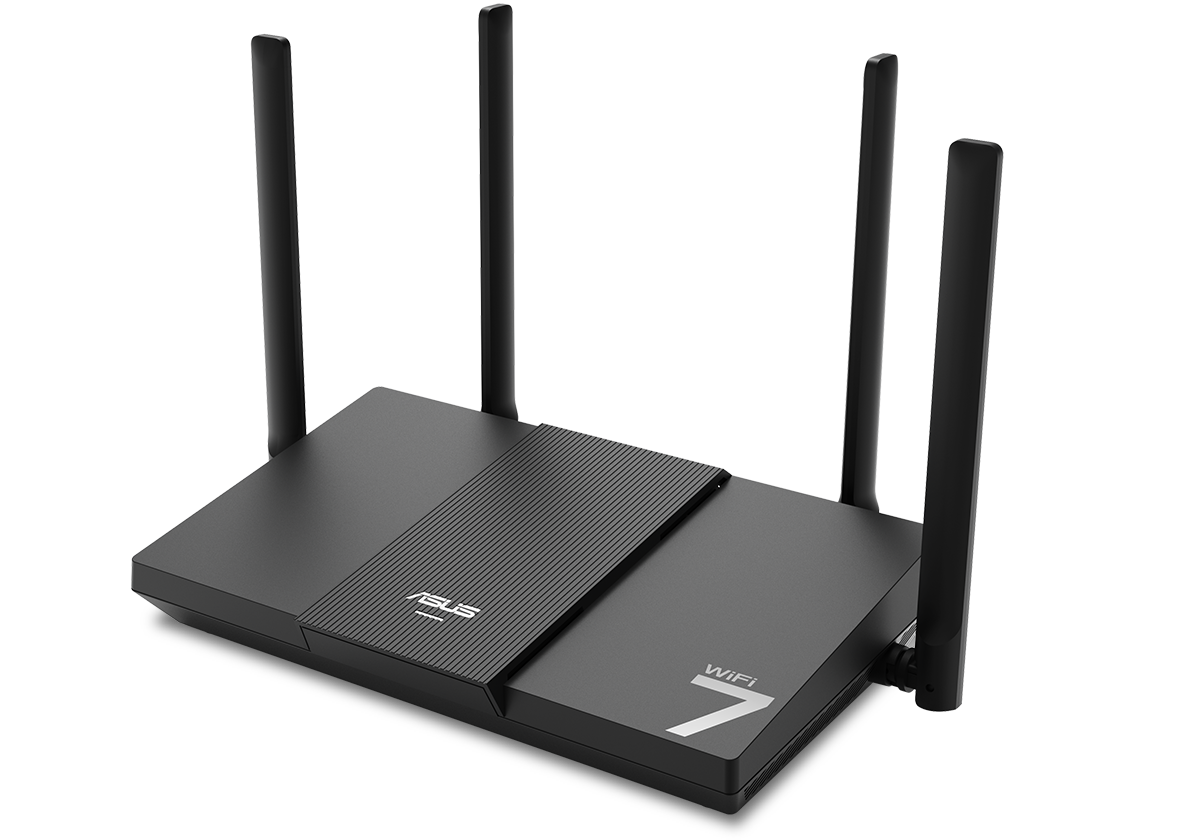 ASUS official product page
The RT-BE50’s 2.5G WAN describes the incoming connection. Its official specification lists three 1G LAN ports, so it does not provide a full 2.5Gbps wired path to a single PC. Aggregate throughput across devices also depends on wireless conditions and settings; the WAN number alone cannot guarantee it.
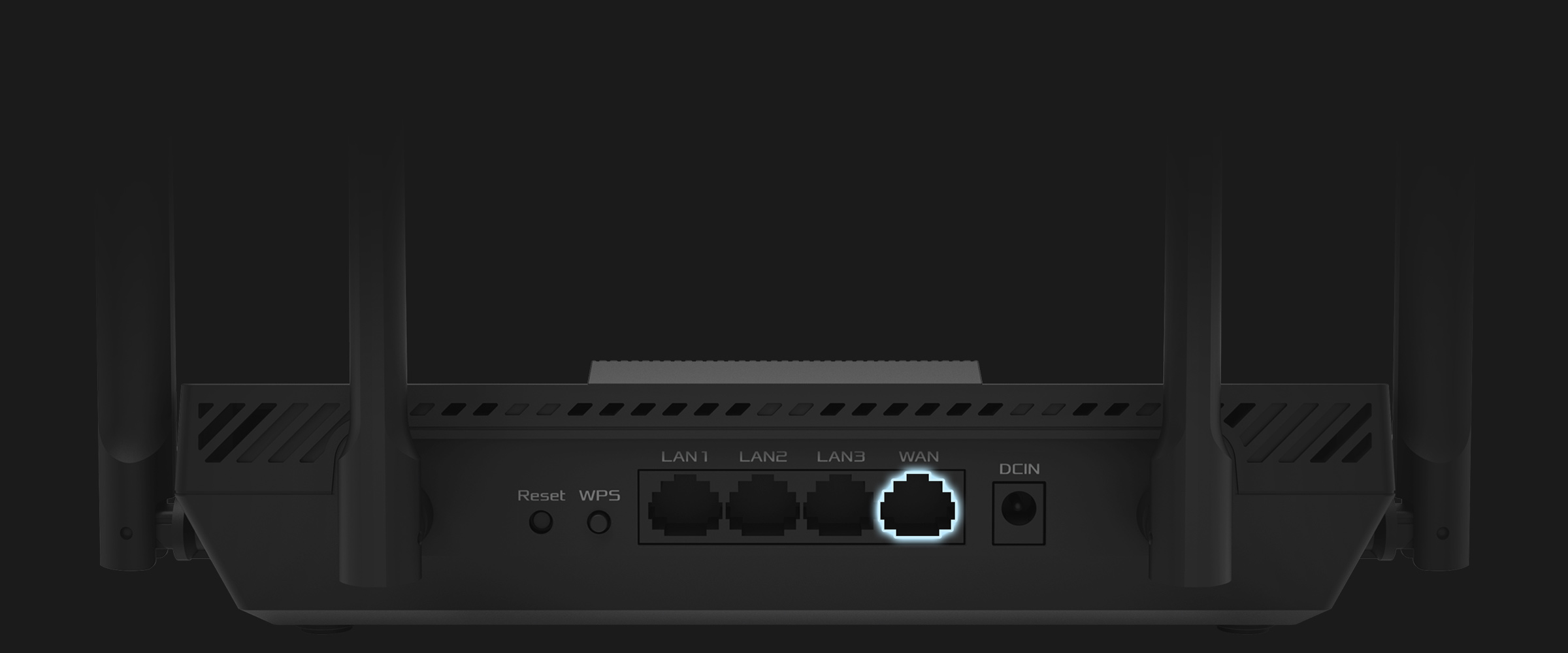 ASUS official product page
The Korean Archer BE3600 offers four wired LAN ports. Port count is practical when a PC, console and TV need Ethernet connections. If a single wired transfer above 1Gbps is the goal, examine another configuration that supports the required rate through the WAN, LAN and PC adapter rather than choosing by wireless class.
The same name in another market
The Archer BE3600 on TP-Link’s US site has a different port configuration from the Korean official listing. Assuming that 2.5G ports or USB features shown in an overseas review are also present on the Korean model leads to the wrong comparison. Match the exact model, local distribution and hardware revision to the Korean support page.
6GHz and MLO support
Both are dual-band models operating on 2.4GHz and 5GHz. Wi-Fi 7 branding alone does not imply 6GHz or 320MHz-channel support. If 6GHz is required, check that both the client and router support that band and compare suitable tri-band products.
MLO is a Wi-Fi 7 feature that uses multiple links. TP-Link’s official explanation states that both the router and client must support Wi-Fi 7 and MLO, and that 6GHz is not mandatory. An older phone may connect to a new router without gaining MLO benefits.
On a PC, check the operating system and driver as well as the wireless adapter. For example, TP-Link’s Archer TBE400UH support notice requires Windows 11 24H2 or later for MLO. Rather than applying that requirement to every client, consult the support documentation for the actual adapter or phone.
Compare mesh with existing hardware
When reception differs greatly between rooms, upgrading a single router and adding mesh nodes are different choices. The Archer BE3600 supports EasyMesh and the RT-BE50 supports AiMesh. Checking existing hardware compatibility, firmware and possible node locations reduces the risk of buying a router that cannot expand as intended.
Devices from different ecosystems do not automatically form one network just because both use the word mesh. Products from one manufacturer may also use different systems. Decide whether existing equipment will be retained or replaced before basing a purchase on an unlisted combination.
Connection checks before replacement
If an existing Wi-Fi 6 router already provides sufficient speed and reliability in the required rooms, there is little reason to rush a replacement. If the clients support Wi-Fi 7 and the current router lacks the needed ports or expansion features, these comparison criteria become useful. The purchase should address the connection that is actually inadequate.
Products available for comparison on Coupang
The Archer BE220 in the first product card is a different model from the Archer BE3600 discussed above. Both Korean specification sheets list one 1G WAN and four 1G LAN ports, making their gigabit-port layouts comparable. The RT-BE50 is a candidate when 2.5G WAN input and AiMesh matter. Neither card directly meets a need for a 2.5G wired link to one PC or for 6GHz. Confirm the exact model, sales option and warranty before ordering.
Sources reviewed
The article was checked against the sources below. Image context and credits appear in each caption.
This article contains affiliate links, and the publisher may receive a commission from qualifying purchases.